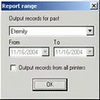
Monitor, control, and audit print queues with detailed reports and flexible export options
Monitor, control, and audit print queues with detailed reports and flexible export options
Vote (7 votes)
Program license Trial version
Developer SoftPerfect
Version 6.0
Works under Windows
Vote
(7 votes)
Developer
SoftPerfect
Works under
Windows
Program license
Trial version
Version
6.0
Pros
- Detailed tracking and auditing of all print jobs
- Powerful, customizable reporting options
- Centralized control over print jobs and printers
- Easy export of data to common formats for further analysis
- Non-intrusive installation with no system file changes
Cons
- May require initial configuration for optimal use in complex networks
- Advanced features might be excessive for small offices
- User interface may feel dated compared to newer solutions
Comprehensive print management and auditing solution for networked printers.
Efficient Print Job Administration
Print Inspector is a robust utility tailored for organizations seeking effective control over their printing infrastructure. The software enables users to monitor and manage print jobs across any shared printer on a corporate network. Administrators can pause, resume, restart, or cancel individual print tasks directly from a centralized interface. These job management features help prevent printing errors, accidental outputs, and reduce paper or toner waste.
Advanced Auditing and Tracking
A standout capability of Print Inspector is its detailed print auditing. Every print job is logged with comprehensive information: document title, page count, submission date and time, user identity, and the originating workstation. All data is stored in a dedicated database, supporting both quick lookups and in-depth audits. This tracking empowers companies to enforce print policies, detect unwarranted usage, and allocate costs accurately by department or user.
Flexible Reporting Tools
Print Inspector includes a built-in reporting system designed for both technical admins and non-technical managers. Reports can range from simple print job listings to complex multi-user statistical analyses. Filters and sorting options facilitate the extraction of relevant information. Data can also be exported to CSV for further analysis with spreadsheet software such as Microsoft Excel, catering to organizations with custom reporting needs.
Network and Printer Control
Beyond auditing and job management, Print Inspector provides streamlined access to printer and print server settings. Administrators can inspect printer configurations and adjust settings without the need to leave the Print Inspector interface. This centralized approach enhances response speed for common printer issues and saves time in multi-printer environments.
Practical Deployment and System Impact
Print Inspector makes no unauthorized modifications to system files, helping maintain the integrity and stability of the host machines. The software can be set to initiate automatically on Windows startup, ensuring uninterrupted monitoring. The installation process is straightforward, and the interface is designed for ease of use even in large-scale deployments.
Pros
- Detailed tracking and auditing of all print jobs
- Powerful, customizable reporting options
- Centralized control over print jobs and printers
- Easy export of data to common formats for further analysis
- Non-intrusive installation with no system file changes
Cons
- May require initial configuration for optimal use in complex networks
- Advanced features might be excessive for small offices
- User interface may feel dated compared to newer solutions